Storefronts
Setting up your CheckoutJoy Storefront
Storefronts
A CheckoutJoy Storefront is a complete e-commerce page where you can showcase and sell your products. With storefronts, your customers are able to add multiple products to their cart and do a single checkout that activates all the products in their cart.
The goal here is to consolidate your online selling, which might include multiple hosting platforms, segmented customers, weird payment limitations and regional laws, and of course the crazy VAT requirements. Now you can combine all your platforms, languages and payment options under one roof.
For example, you can create multiple storefronts to segment your customers on country, region or language. You could for example send all your local customers to a store with special discounted prices and local payment options, and send all international customers to a different store with different pricing and currencies.
Or set up a store where you sell courses hosted on Thinkific, e-books hosted on CheckoutJoy, webinars hosted on Zoom, and workbooks from WooCommerce.
That's a single checkout, one payment, one invoice, VAT calculated and charged and all products automatically fulfilled for any customer anywhere in the world 😁😁😁
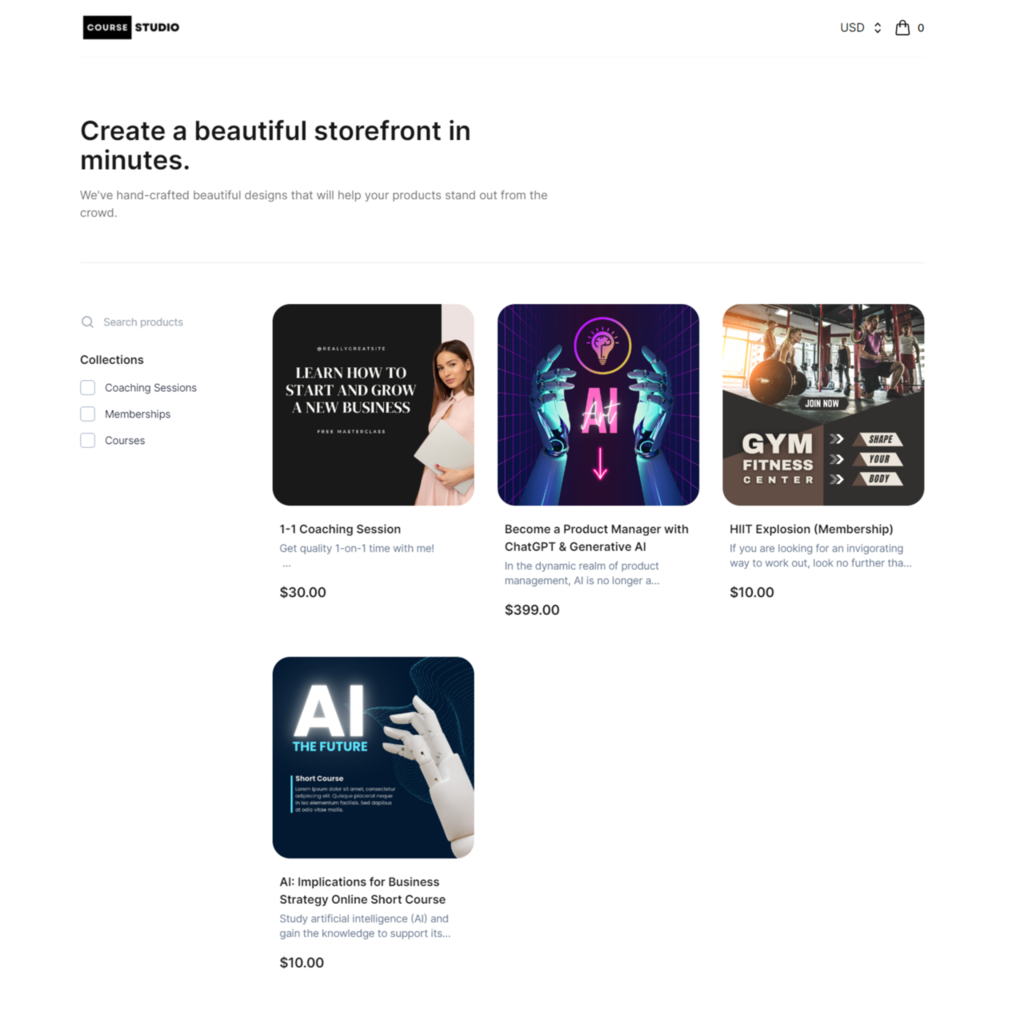
Here's a preview of the Storefront designer so long, where you can also customize the look and feel of your storefront to match your brand.
Per-product thank-you pages and conversion tracking
A storefront has one thank-you page setting, and that page is shown after every checkout completed through that storefront — regardless of which product was bought. This matters most for conversion tracking:
- Google Ads, Meta Ads and many other ad platforms attribute a conversion when their pixel fires on a specific thank-you URL.
- If you want each product to attribute to its own ad campaign, each product needs its own unique post-purchase URL.
Workaround — one storefront per product (or per campaign)
When you need different post-purchase pages for different products, create one storefront per product (or per campaign group) and assign that product to the dedicated storefront. Each storefront has its own thank-you URL, which lets your ad platform attribute the conversion to the right campaign:
| Need | Approach |
|---|---|
| Single product, single ad campaign | One storefront, one thank-you URL |
| Multiple products, all driving the same conversion event | One storefront, shared thank-you URL |
| Multiple products, each with its own conversion event for Google/Meta | One storefront per product, each with its own thank-you URL |
| Region-specific pricing or pixel rules | One storefront per region |
This is a small operational overhead but it's the most reliable way to keep per-campaign attribution clean.