Customer Portal
Setting up your Customer Portal on CheckoutJoy
Customer Portal
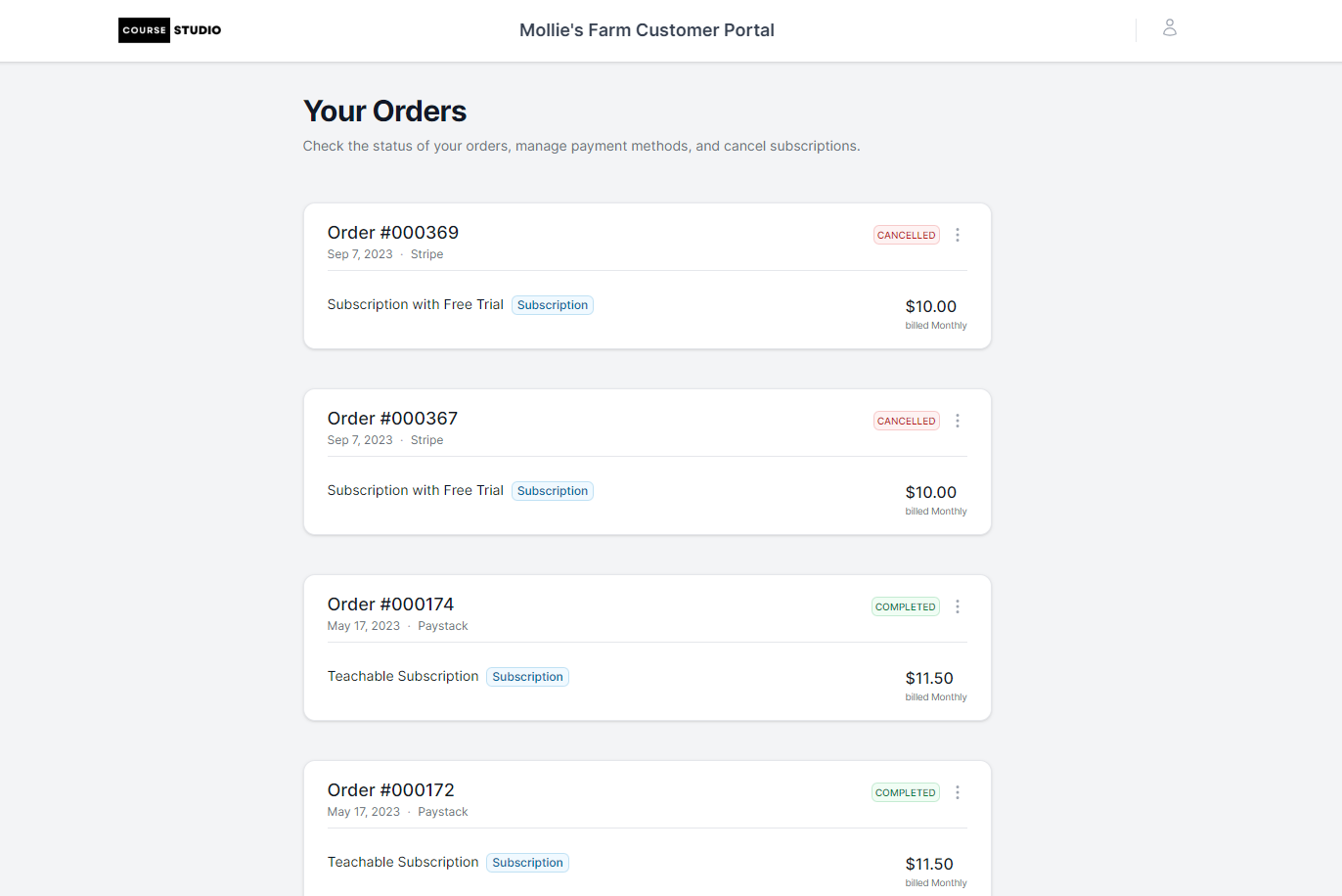
The Customer Portal is a customer-facing website that allows your customers to view, manage and cancel their orders.
Using the portal, your customers can:
- View their order history
- View their active subscriptions
- View their upcoming payments
- View their payment history
- Update their payment method
- Cancel their subscriptions
- Download their invoices
Setting up your Customer Portal
You need to have a custom domain connected to enable your customer portal.
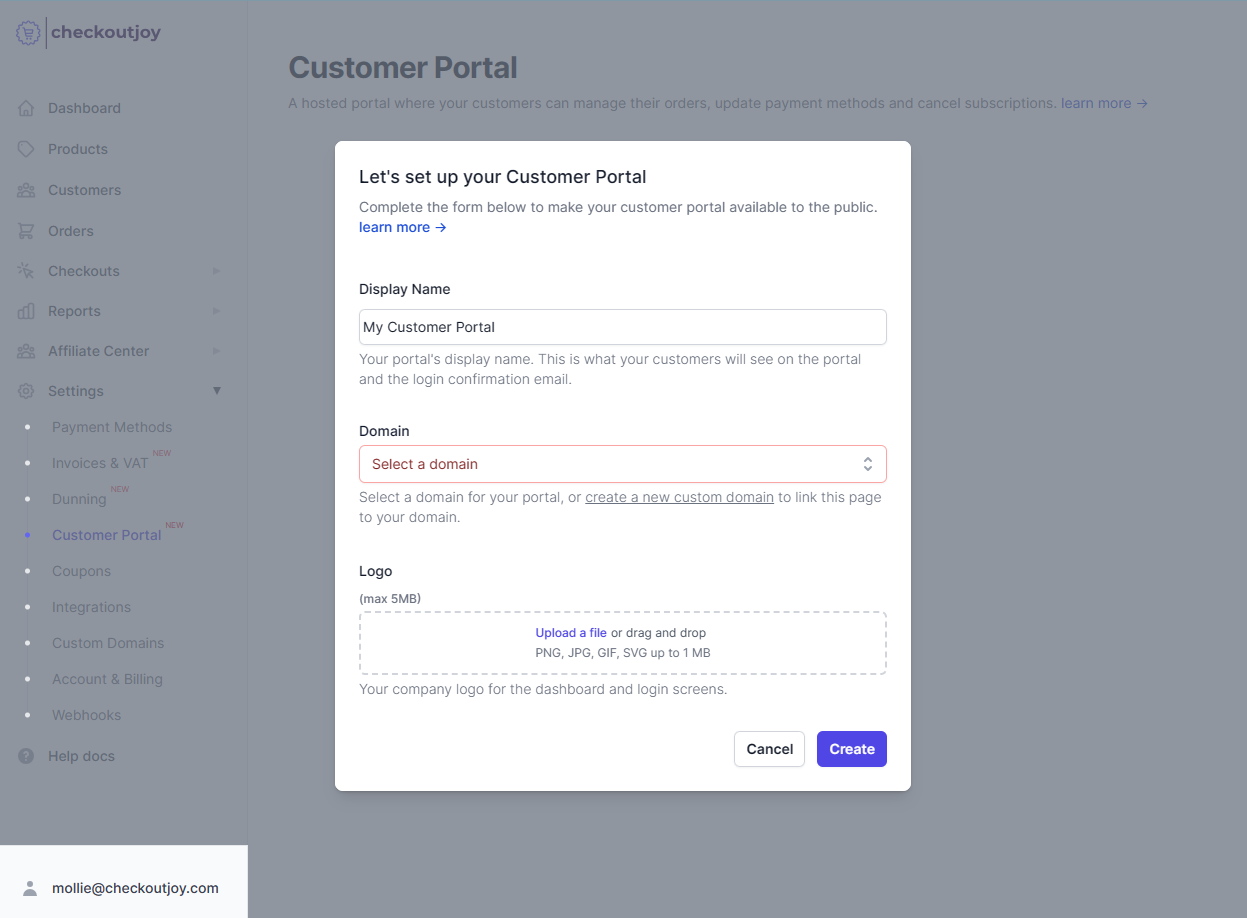
To set up your Customer Portal, navigate to Settings > Customer Portal in the CheckoutJoy dashboard and select the "Create Customer Portal" option.
- Enter a Name for your customer portal.
- Select the custom domain where your portal will be available - your portal is hosted on
https://<your-custom-domain>/customers. - Upload your logo - this is displayed on the customer login screen and their dashboard.
How to access your Customer Portal
Your customer portal is hosted on your custom domain under /customers
For example, if your custom domain is https://store.my-cources.com, then your customer portal is available at
https://store.my-cources.com/customers
How does it work?
The Customer Portal allows your customers to manage their orders and download their invoices themselves.
Existing customers that have bought your products can log into the portal using the email address associated with their orders.
Once logged in, they can view and manage their current orders.
What they can do with the order depends on which payment processor they used to make the payment. Please refer to the table below to see which features are available for each payment processor.
Authentication
Customers are authenticated using the email address used at checkout.
They don't have to create another account with username and password, authentication is done via a Magic Email Link. This means that a login link is sent to their email address, and using that link they can log into the dashboard.
Once they're logged in, they can view their order history, manage their subscriptions, and download their invoices.
Features per Processor
| Processor | Download Invoice | Update Subscription | Cancel Subscription |
|---|---|---|---|
| Stripe | |||
| PayPal | |||
| Adyen | |||
| Flutterwave | |||
| Instsamojo | |||
| Klarna | |||
| Midtrans | |||
| Mollie | |||
| PayFast | |||
| Paystack | |||
| Razorpay | |||
| Xendit |
Updating a card on a PayFast subscription
PayFast subscriptions support a separate, faster card-update flow that uses PayFast's own dashboard rather than the CheckoutJoy portal:
- Log into your PayFast merchant dashboard.
- Find the subscription record for the buyer and open View details.
- Click Copy Link to update card.
- Send that secure PayFast-hosted link to the buyer.
When the buyer enters their new card via this link, the subscription token, original price, and billing schedule are preserved — there's no need to cancel and re-check out. This is the recommended path for any PayFast subscription where the card has failed or expired.
Fallback paths when the portal isn't enough
A few situations where the portal isn't the right tool:
- Buyer can't receive the magic-link email. If their email provider blocks the login email (corporate filters, full mailbox, etc.), the merchant can perform the update or cancellation directly from the CheckoutJoy admin dashboard on the buyer's behalf.
- Processor doesn't support self-serve cancellation. For processors marked as not supported in the table above, cancel from the CheckoutJoy admin dashboard.
- Subscription card has expired but the buyer doesn't want to log into the portal. PayFast subscriptions have the update-card link above; for Stripe/PayPal subscriptions, send the buyer back to the original checkout to start a fresh subscription, then cancel the failed one from the admin.